

How it worksGuide
Checkout monitoring, nothing to install.
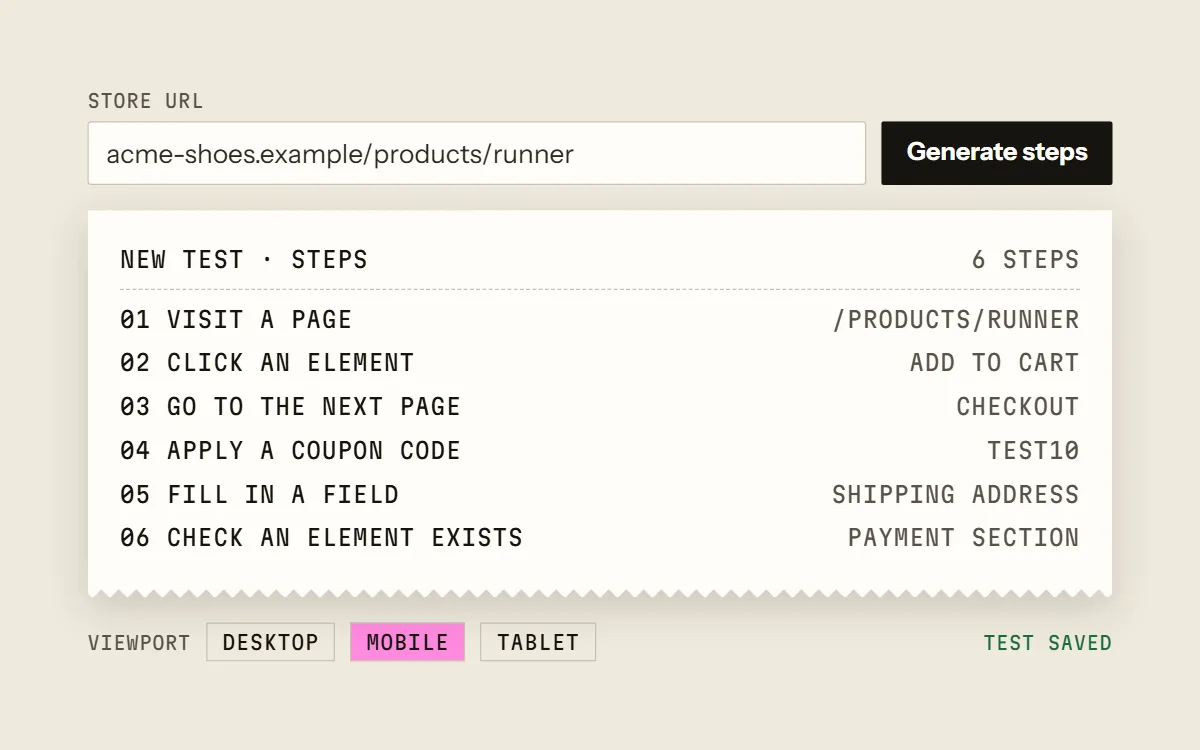
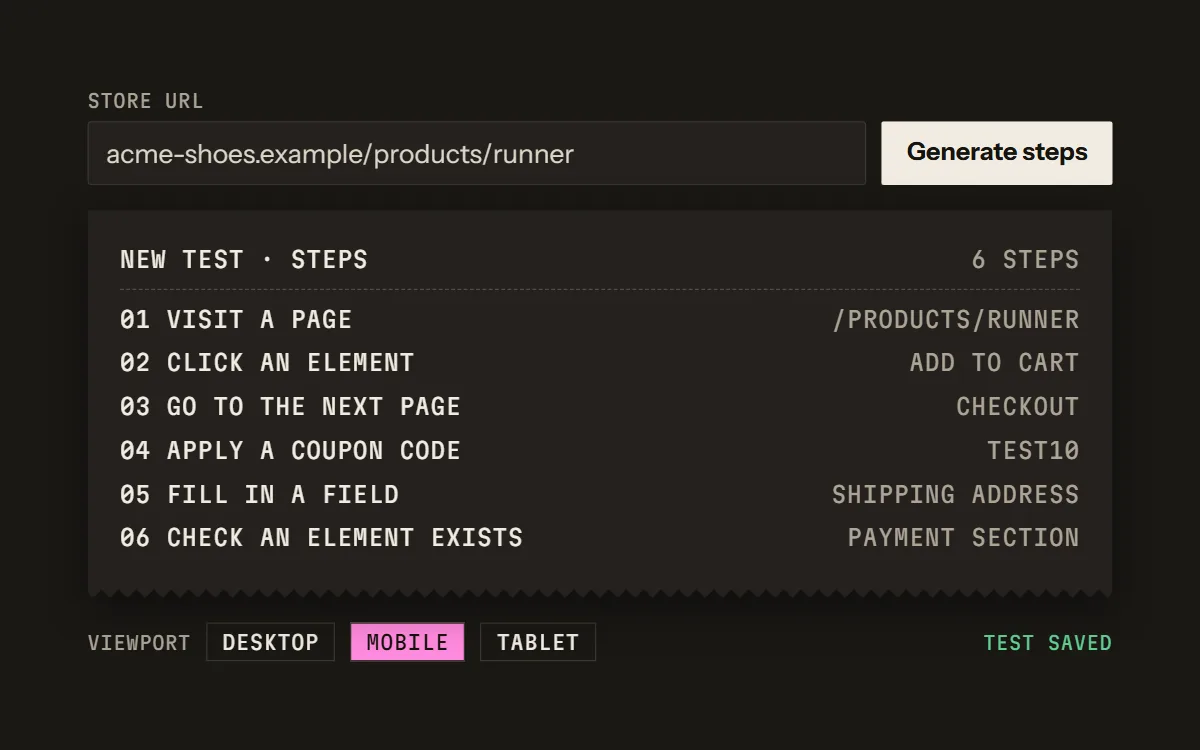
Some checkout monitors are plugins or apps installed in each store. Cartainty works from outside: it opens the store in Chromium and goes through the checkout like a shopper, so nothing is added to the store.
Two ways to monitor a checkout
A plugin or app runs inside the store. It can work with the store's own data, and depending on how it's built it may create test products or orders there. It has to be installed, kept up to date and given access in every store.
An outside test sees what a shopper sees: the pages, in a browser. Nothing is installed, so the same approach works on any store you can open.
Plugin vs outside test, side by side
Scroll sideways to see both columns.
| Plugin in the store | Test from outside | |
|---|---|---|
| Installed in the store | Yes, in each store | No |
| Access needed | Admin access to install it | The store URL |
| Platforms | The one it is built for | Any store you can open; steps generated from Shopify, WooCommerce and BigCommerce URLs |
| Sees | What the plugin can read inside the store | The pages a shopper sees |
Why testing from outside suits agencies
- No plugin to get approved, install and keep updated in each client's store.
- Stores on different platforms in one workspace.
- Nothing added to the client's store or its code.
- A report per client store on paid plans, saved as PDF, with your agency's branding on Starter, Pro and Business.
What an outside test can't do
- It doesn't read the store's admin, orders or logs; it reports what a shopper would see.
- Mobile and tablet are emulated screens in Chromium, not real iPhones or Safari.
- Most tests stop before payment, so the payment itself isn't completed unless you set up a zero-total order with a 100%-off code.
Questions
- Do I need the client's admin login?
- No. A test needs the store URL. If the flow signs in to a customer account, the password can be saved as a sensitive value: it is masked in screenshots, and runs that use one are never filmed.
- Is the Chrome extension a plugin on the store?
- No. It runs in your own browser and records the steps you click through. It's available on Pro and Business.
- Does the test place a real order?
- Not unless you build it to. Most tests stop at the payment step. To check the last step too, a test can complete a zero-total order with a 100%-off code; that order is real and shows up in the store.
- What does the free plan include?
- The Free plan includes one test that you can run by hand 10 times a month, with no card. Paid plans add schedules and start with a 0-day trial.
Try it on one store.
Free plan: one test, 10 runs a month by hand, no card. Scheduled runs start on a paid plan, and every paid plan starts with a 0-day trial.